6 Website Chatbot Features for Lead Generation
Help website visitors compare options, share useful details, and book the next step with Ringg's interactive website chatbot components.

 Add as a preferred source




Key takeaways
- Use interactive website chat to help visitors move from questions to useful actions.
- Quick replies were followed by a 37.5% increase in callback requests in one deployment.
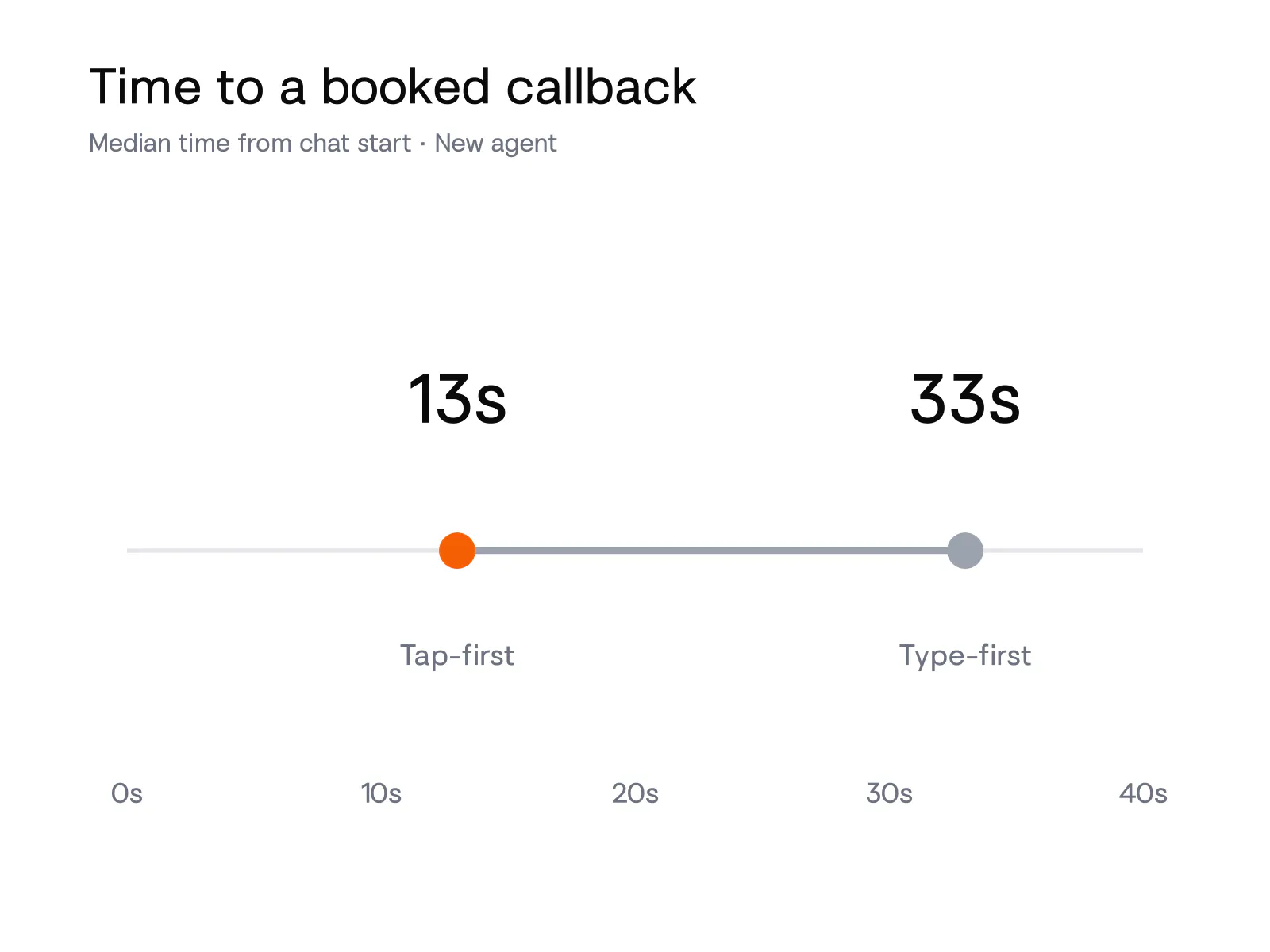
- On the new agent, tap-first users booked callbacks in a median of 13 seconds, compared with 33 seconds for users who typed first.
- Create components from a template, a plain-language description, or custom code, then style them to match your brand.

Why website visitors stall in chat
A visitor opens your chatbot to compare options, request a quote, or talk to your team. If the only way forward is another typed message, they have to do extra work before you learn what they need.
In one earlier deployment, 43% of chats received no user reply. Among replying users, the text-led experience involved an average of 90 characters per chat. Businesses need a way to turn initial interest into a useful inquiry their team can act on.
Interactive components put the next step inside the conversation: select an option, provide relevant details, or book a time. The six upgrades below show ways to make that path clearer.
6 interactive website chatbot features by Ringg
Ringg lets your agent show interactive elements in the chat, so customers can do more than exchange messages. Use these six upgrades to shape the journey:
1. Quick replies for common questions
Offer choices such as pricing, product information, or speaking to an expert. Visitors can tell the agent what they need with a tap.
2. Comparison cards for products or services
Present options side by side, answer questions about the differences, and let the customer select what they want to explore.
3. Forms that collect useful lead details
Gather information such as contact details, requirements, or use case together. Conditional fields can adapt to earlier answers.
4. Booking slots inside the conversation
Let interested visitors choose an available callback or meeting time without describing their availability in several messages.
5. A chat experience styled to your brand
Apply your brand guidelines to colors, typography, layout, and buttons. Custom HTML, CSS, and JavaScript let you adapt a component's appearance and behavior.
6. Continuity across calls and chat
The same agent supports both channels. What was discussed on a call carries into chat, and selections made in chat shape the next call.
Together, these components can guide a visitor from exploring options to sharing details and arranging follow-up. Your agent stays available to answer questions along the way.
Results from interactive website chat
The results below show outcomes associated with interactive chat, while each business should measure its own lead quality and conversion.
More replies and callback requests
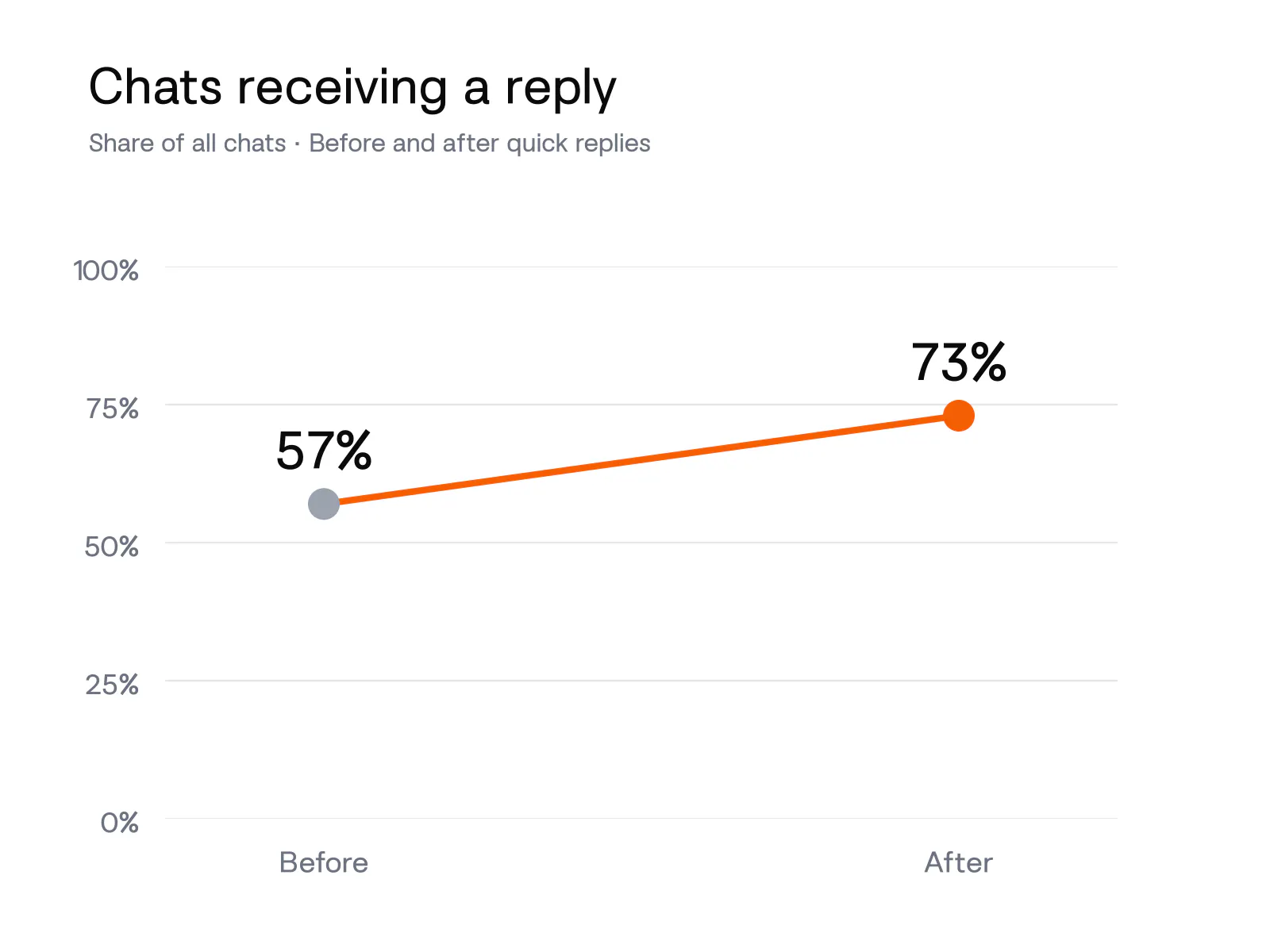
The share of chats receiving a reply rose from 57% to 73% after quick replies were introduced, a 16 percentage point increase in this deployment. Callback requests rose from 24% to 33%, a 37.5% relative increase. Daily chat volume remained between 2,600 and 3,000 before and after the change.
Faster callback booking
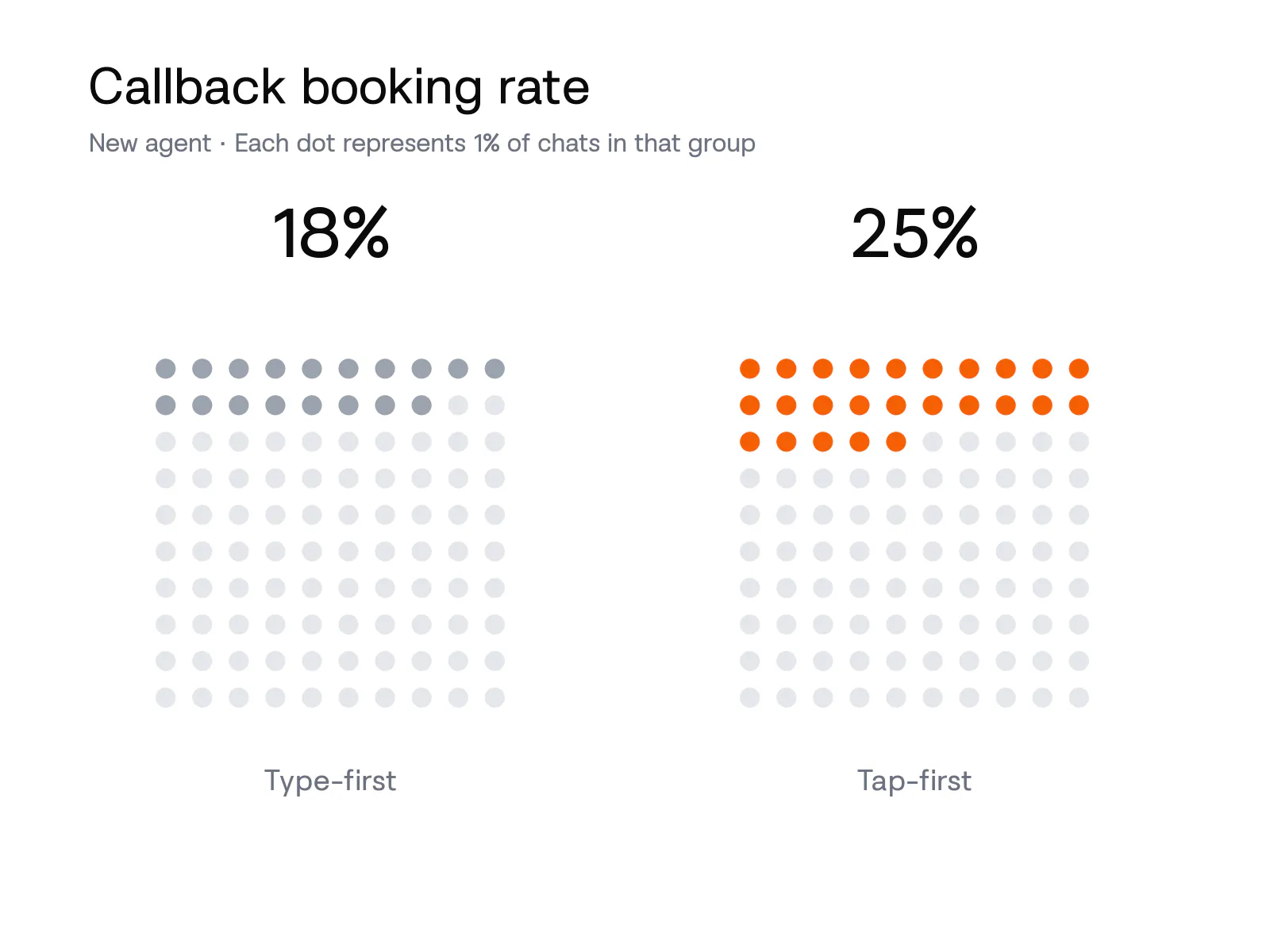
On the new agent, chats that began with a tap had a 25% callback booking rate, compared with 18% for chats that began with typing. Median time from chat start to booking was 13 seconds for tap-first users versus 33 seconds for those who typed first.
Separately, 60% of chats shown callback slots ended with the user selecting one.
More completed forms, less typing
In one measured deployment, 80% of chats shown a form ended with it completed. The form collected member details for an insurance premium quote.
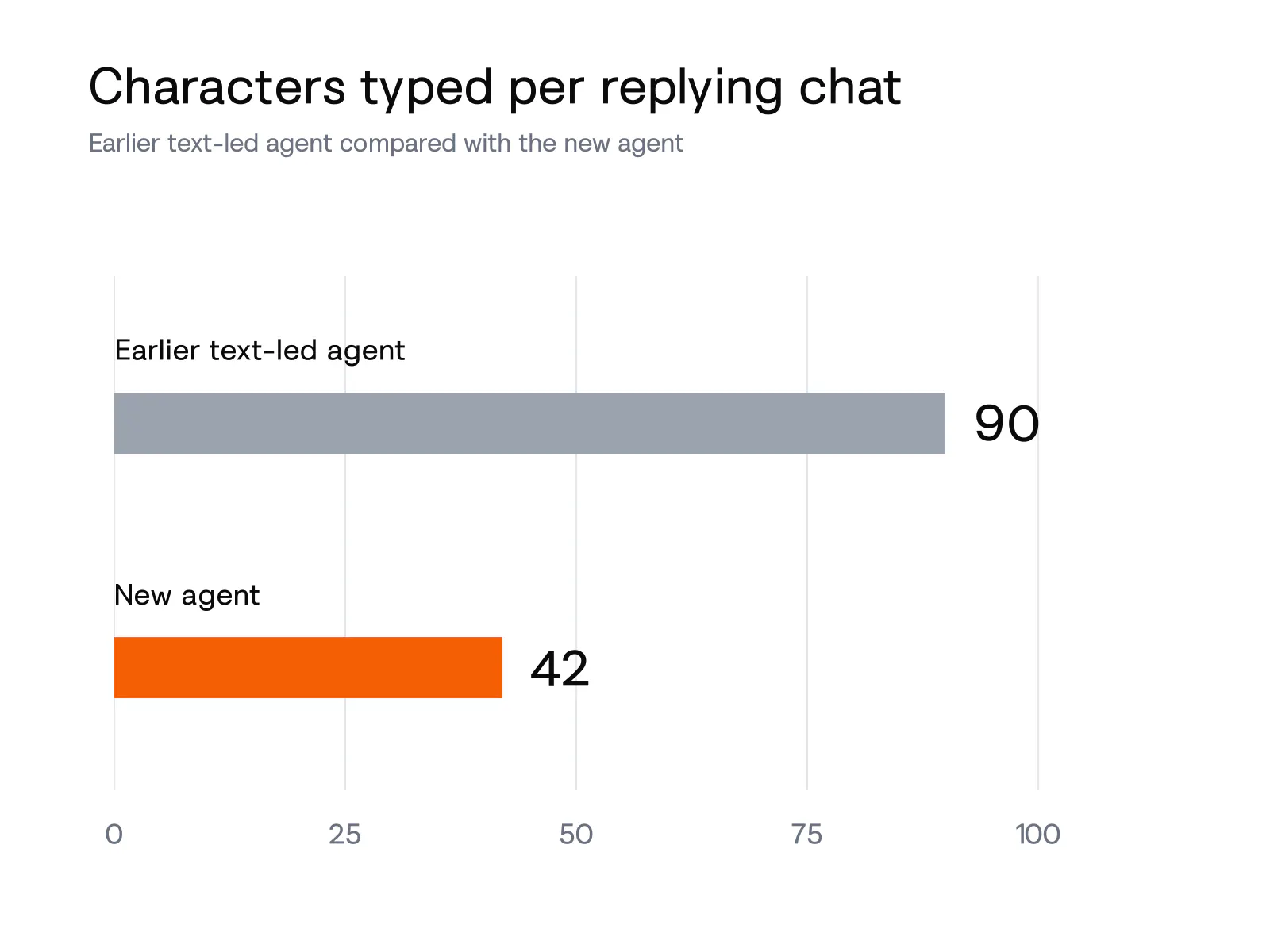
Across the new agent, 46% of replying users never typed. Characters typed per replying chat fell from 90 to 42 compared with the earlier text-led experience.
How to use custom chat widgets on your website
Watch the Build with Ringg video
Start with a point in your customer journey where people hesitate or stop. Decide what information or action would help them continue, then:
- Choose a template, describe the component you want in plain language, or build it with HTML, CSS, and JavaScript.
- Add your brand styling, fields, choices, and any conditional behavior.
- Connect the action to your agent, API, CRM, or booking workflow.
- Test the full journey and measure replies, completed forms, bookings, and the quality of leads generated.
See what your website chat could do
Bring a customer journey you want to improve. Explore how branded forms, comparison cards, and booking components could help visitors take the next step.
FAQs
Interactive elements such as quick replies, comparison cards, forms, and calendar slots that help customers take actions within a website chat.
Related blogs
View all blogs
AI Use Cases
The Smarter Way to Scale with AI Sales Outreach
Smarter AI sales outreach beats traditional hiring. Discover how to scale sales outreach with AI without the overhead of a massive team.
06 Jul 2026 · 7 min read

AI Use Cases
6 AI Agent Use Cases in E-Commerce That Actually Pay Off
Real production use cases where AI agents generate measurable ROI for D2C and e-commerce brands, from cart recovery to COD verification.
06 Jul 2026 · 10 min read

AI Use Cases
AI Customer Service: All You Need To Know
Learn how AI agents in customer service actually work, how they can help your business, and how to get it right.
07 Jul 2026 · 15 min read